
LLM intentizer
The LLM intentizer recognises intents with a large language model instead of a classifier trained on your phrases. Each intent gets a short definition, written by the model from the intent's phrases during training. When a user writes something, the model reads the message together with all definitions and names the intent it matches, or none.
It needs only a few phrases per intent, follows the languages the chosen model supports, and adapts as soon as you retrain. In return every recognition is a request to the model provider: it takes longer than the Simple model, usually a second or more, and it costs what the provider charges per request. For a comparison with the other model types see Comparison of available intentizer types.
NoteThe LLM intentizer is an experimental feature. It appears in the NLU settings when Experimental features are enabled in your user profile and your organisation has LLM features enabled; ask your administrator if the LLM model type is missing.
Set it up
- Make sure the organisation has an AI credential with a completions model, for example OpenAI, under Organization → AI credentials.
- Open the NLU model, go to Settings and set Intent recognition model to LLM.
- Choose the AI credential (the organisation default or a named one) and the LLM model.
- Leave Intent recognition engine on Completions model unless you use a decision model (see below).
- Save and train the model.
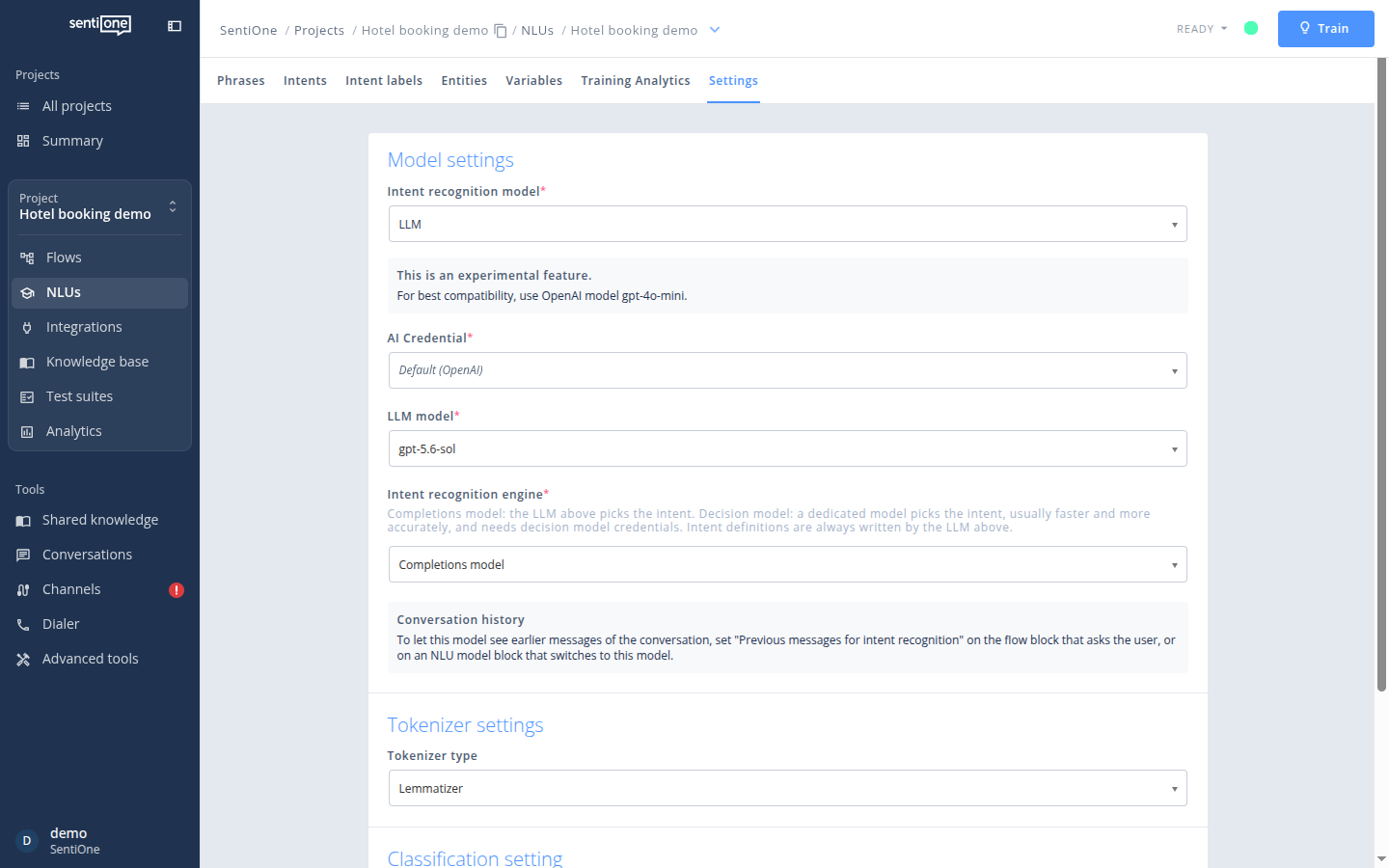
NLU settings of an LLM model
Entities and variables are recognised as with any other model. Training seed and "use entities in intentizer" do not apply to LLM models.
Intent definitions
Training does not fit a classifier; it asks the LLM to write a definition of each intent from its phrases. Three to five typical phrases per intent are enough for a good definition, and the definition follows the language of the intent's name and phrases.
You can see every definition on the Intents tab, in the Definition tab of an intent:
- Auto-generated definitions are replaced on every training, so they follow your phrases.
- Switch to Custom to keep the current text or write your own; training leaves a custom definition alone. A definition can have up to 1000 characters.
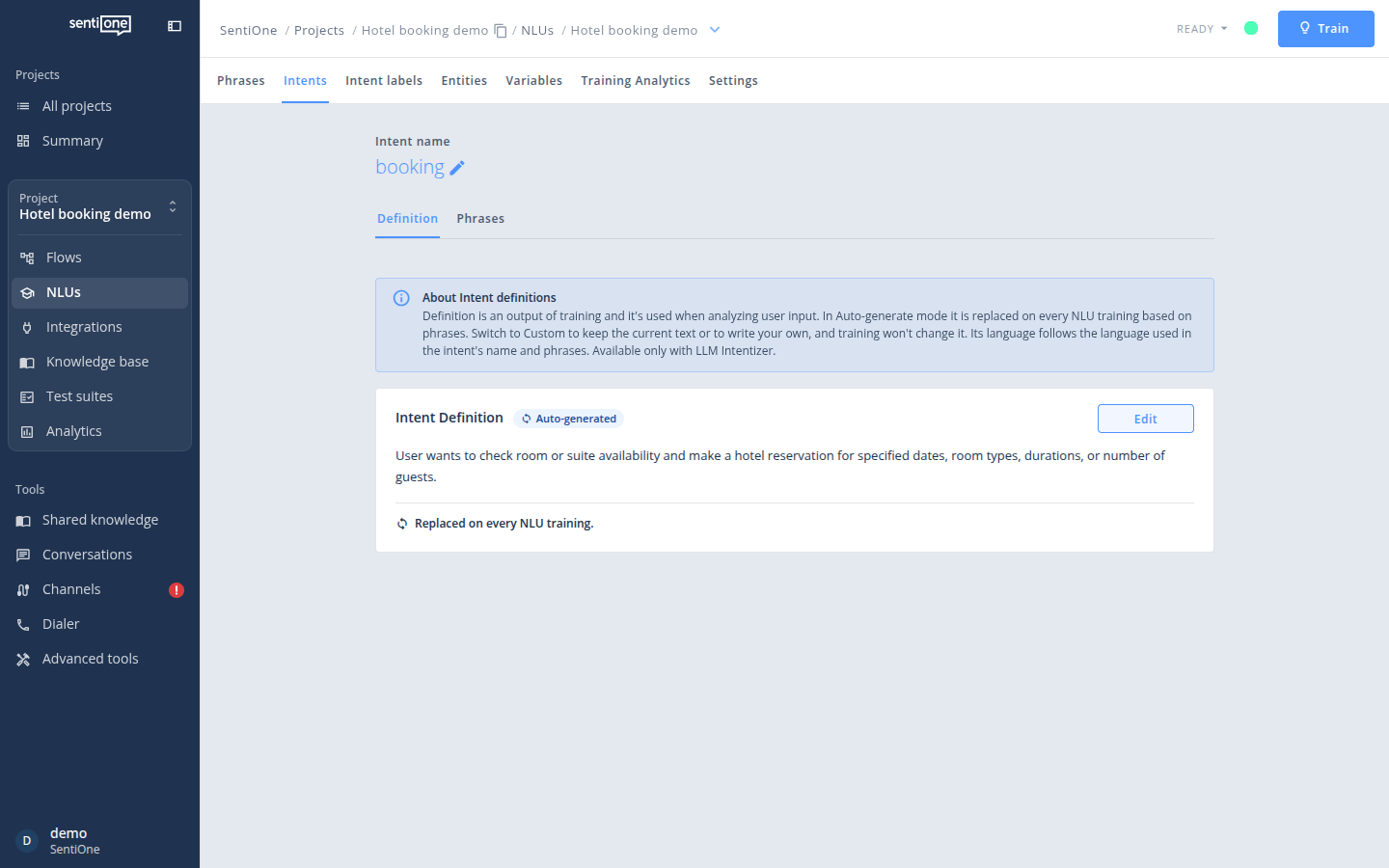
A definition generated from three phrases
The definition is what the model reads at recognition time, so when an intent is recognised too often or too rarely, read its definition first and sharpen it by hand or by adding phrases.
How a message is recognised
- Exact match first. When the message is identical to one of the training phrases, the intent of that phrase is returned with score 1 without asking the model.
- Otherwise the model decides. The message, the previous messages when configured, and the list of intents with their definitions go to the model, which answers with one intent or with "no intent".
- Score. With the completions engine a recognised intent gets the score 0.9; with the decision model engine the score is the probability the model returns. The confidence score threshold of the NLU settings applies to both.
When your organisation has multi-intent recognition, the model may return several intents for one message.
Requests use the lowest randomness the model offers, so the same message gives the same answer as long as the definitions do not change.
Conversation history
Short answers such as "for four people" or "yes" cannot be recognised on their own. Since release 268 the LLM intentizer can read the messages that came before. On the flow block that asks the user, or on an NLU model block that switches to this model, set Previous messages for intent recognition to the number of earlier messages to send, up to 10. Every user and bot message counts, including each bot bubble, and 2 to 4 is usually enough. The setting applies to the next intent recognition after the block; empty or 0 sends only the current message.
The bot log entry NLU previous messages shows which messages were sent with the phrase. To test it outside a conversation, use the previous messages column of Batch classify.
Models other than LLM ignore the setting.
Decision model engine
Instead of asking the completions model to pick the intent, the Decision model engine sends the message and the definitions to a dedicated decision model, which answers with a calibrated probability per intent. It is usually faster and more accurate, and its scores are probabilities rather than a fixed 0.9. Definitions are still written by the LLM selected above.
To use it, add a Decision model credential under Organization → AI credentials with the full URL of the decisions endpoint (a System One API, for example a hosted model or your own server) and the models it serves. Then select Decision model as the intent recognition engine in the NLU settings and pick the credential and the model, or leave the credential empty to use the organisation's default decision model credential.
Testing
Analyze user input on the Phrases tab shows the intent and score for one message; Batch classify checks many messages at once, with history and expected intents.
Updated about 10 hours ago